Connect custom email
To enable your website to send emails from a custom domain (info@domain.com for example) you need to connect an SMTP Server to your website.
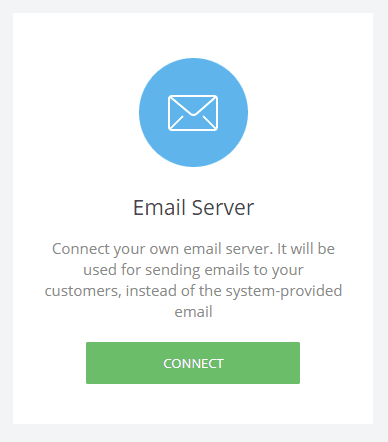
To do that, go to Dashboard -> Applications and find Email Server and click on Connect.
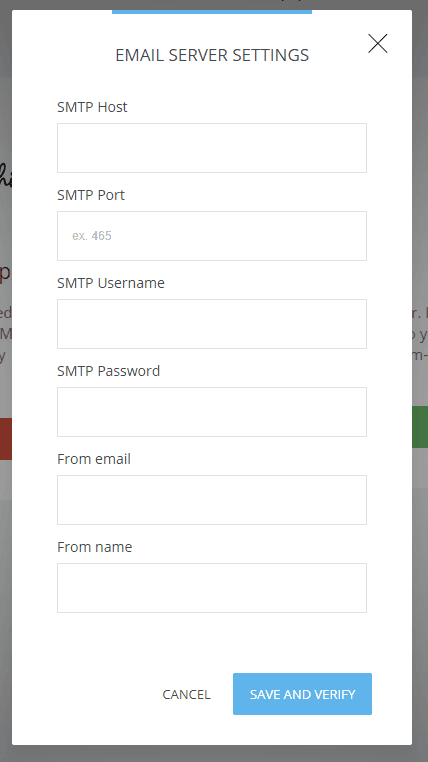
Then add the respective settings from your email hosting company in order to connect your mail to the website and allow it to send the emails.
Related Articles
AWeber Integration
Integrating with AWeber is very easy. To start, navigate to the Applications section in your website or funnel settings and click on Add Application: Choose AWeber on the next screen and follow the on-screen instructions to connect your AWeber ...Connect a Domain
To connect a domain to your website or funnel click on Website/Funnel Settings and then Domains. Click on Connect An Existing Domain to open the field to enter a domain and click Next. After adding the domain a screen with 2 DNS records will show. ...Engage - CRM, Messages and Custom Properties
Create A Booking Operator
To create a booking operator simply go to Booking -> Operators -> Create New Operator You can setup things as: Name Email Description (to show if you have multiple operators) Image (also shown if you have multiple operators) Color (for easier way to ...GetResponse Integration
To connect GetResponse to your website simply go to the Website/Funnel Settings menu and select Applications. Then click Add Application on the right-hand side. Afterward, click on Connect for the GetResponse integration, and add your GetResponse API ...