AWeber Integration
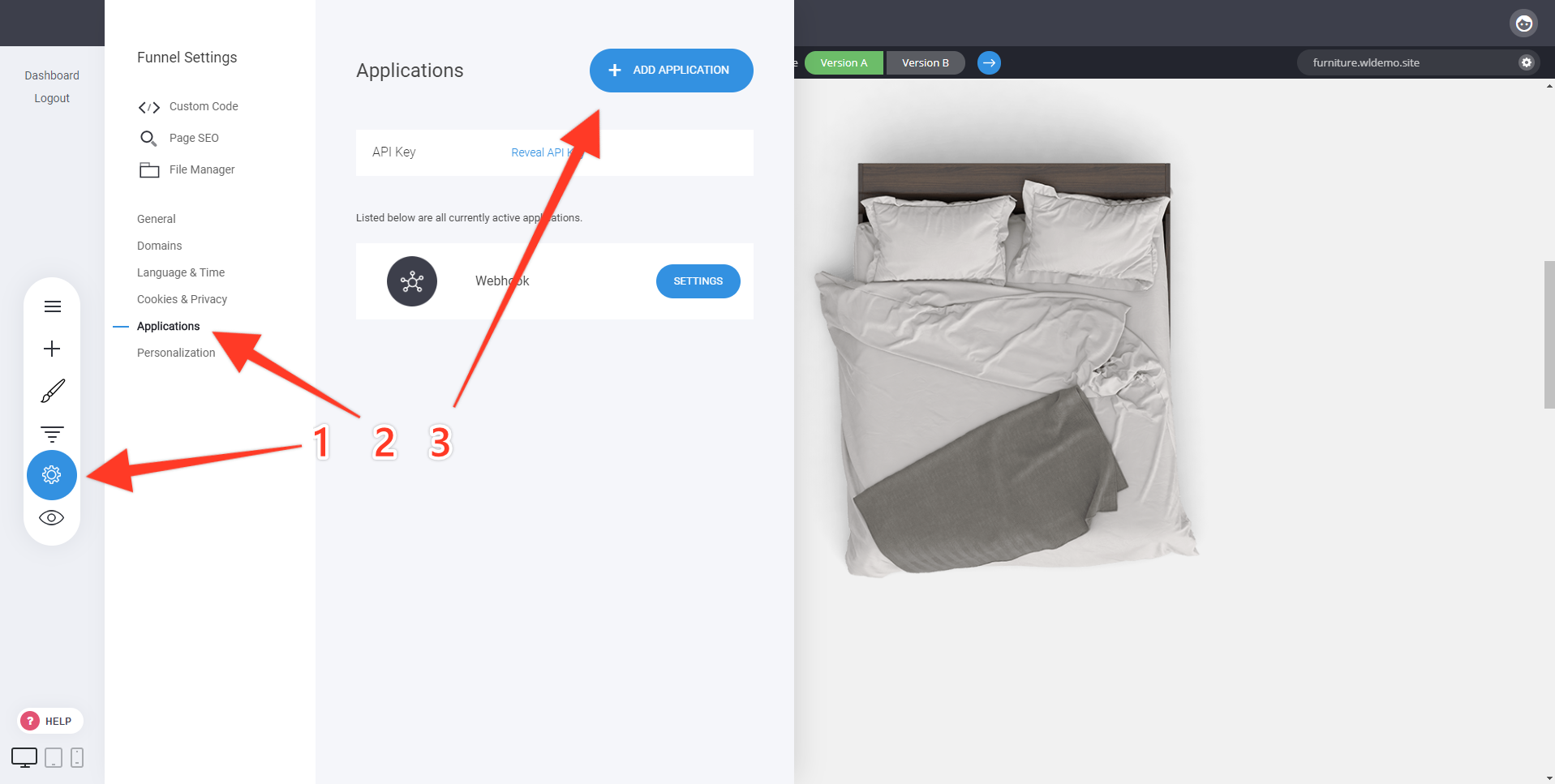
Integrating with AWeber is very easy. To start, navigate to the Applications section in your website or funnel settings and click on Add Application:
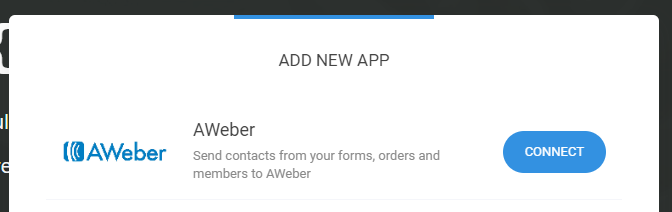
Choose AWeber on the next screen and follow the on-screen instructions to connect your AWeber account:
Once your AWeber account is connected, you will be redirected back to the control panel in your website.
In the settings of each of your form and checkout widgets you can select the AWeber lists to send collected contacts to:
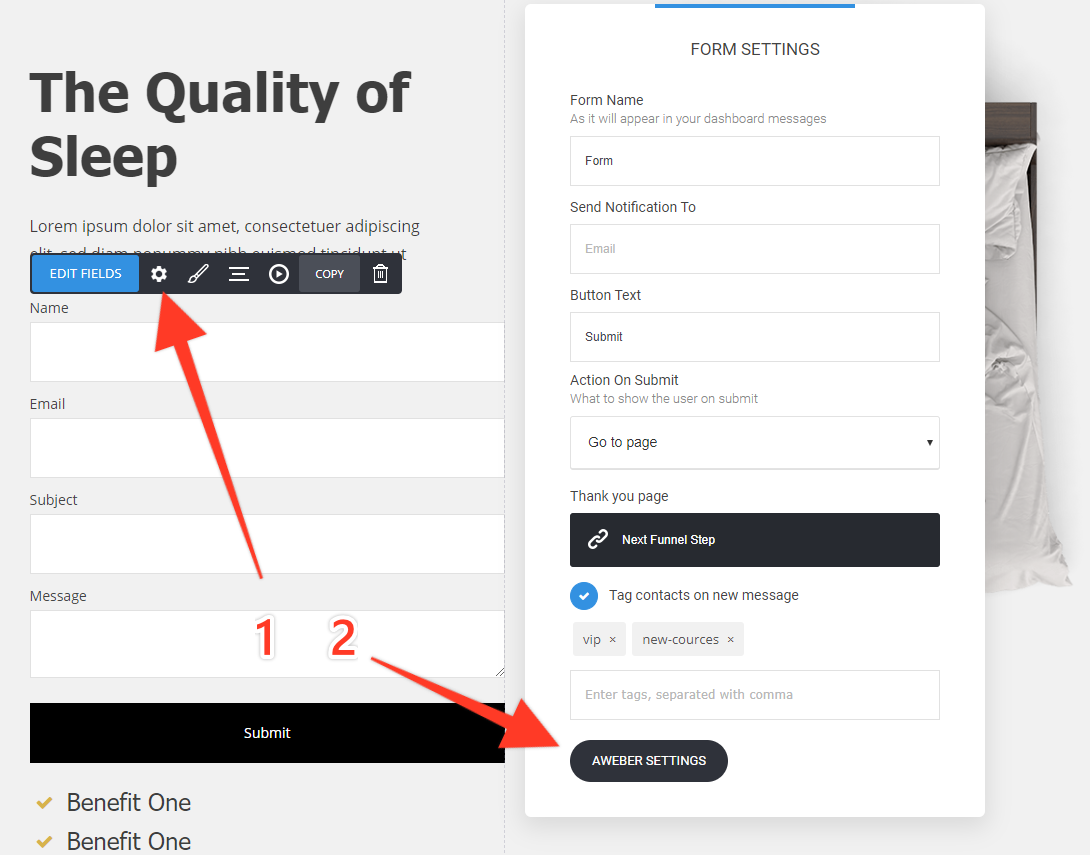
Tags will be send to AWeber as well.
If you want to link a specific field to a custom field in AWeber, simply pass the AWeber custom field name in the field settings when editing your fields:

That's it! Whenever a visitor leaves their email on your website or funnel, they'll be sent to your lists in AWeber.
Related Articles
MailChimp Integration
To connect Mailchimp to your website you need to go to Website/Funnel Settings and select Applications. After that click on Add Application on the right side. Then click on Connect for Mailchimp integration If you don't know your Mailchimp API Key ...ActiveCampaign Integration
To connect ActiveCampaign to your website simply go to the Website/Funnel Settings menu and select Applications. Then click Add Application on the right-hand side. Afterward, click on Connect for the ActiveCampaign integration, and add your ...MailerLite Integration
To connect MailerLite to your website simply go to the Website/Funnel Settings menu and select Applications. Then click Add Application on the right-hand side. Afterward, click on Connect for the MailerLite integration, and add your MailerLite API ...MooSend Integration
To connect MooSend to your website simply go to the Website/Funnel Settings menu and select Applications. Then click Add Application on the right-hand side. Afterward, click on Connect for the MooSend integration, and add your MooSend API key. If you ...GetResponse Integration
To connect GetResponse to your website simply go to the Website/Funnel Settings menu and select Applications. Then click Add Application on the right-hand side. Afterward, click on Connect for the GetResponse integration, and add your GetResponse API ...