Share a Funnel
To share a funnel go to your Funnel Steps section and click on the Funnel Share button next to your Preview Button:
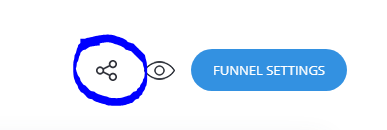
Then copy the link and you can now share the funnel with others to create the same funnel like yours.
Related Articles
Duplicating/Cloning a Website or a Funnel
To duplicate a website or a funnel, go to the Funnels & Websites section of your project to see all the sites and funnels built in your current project. This is the button on the top-left: Then go with your mouse on top of the funnel or the website ...Move a Website or Funnel to another project
You can move a website or a funnel to an existing or a new project by going to the Funnels and Websites tab. Go on top of the Funnel or Website with the mouse and click on the 3 dots on the right and select "Move to another project" option. Then you ...Moving a funnel or a website to another project
Go in your Funnels and Websites section of your builder -> Go on top of the website or funnel you want to move and click on the 3 dots on the right. Select Move to another project and select the project where you want to move to.Funnel Settings
Building Your First Funnel