Creating a new page
To create a new page click on Pages button in middle left of your screen.

Then click on Add New button on top

It will open up the options for Page, Popup, Folder etc. and click on Page

That will open up a window with the different designs available as a template for your new page. Everything is categorized into categories and you can preview each page design.
You can also click on Empty Page to start from scratch or Existing Page to select a page from your current website or template as a reference.

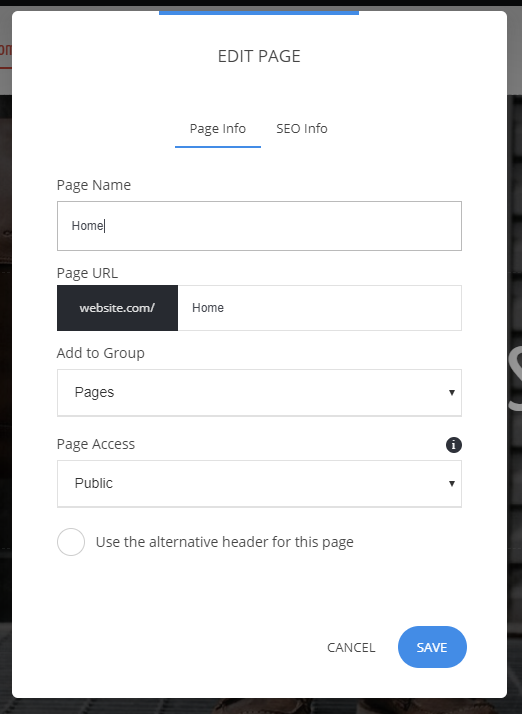
After selecting a template all you need to do is add Name, URL for the page and select a Group (folder) that is used for better organization of your pages and click Add to finish.
Related Articles
Copy an existing page
To copy a page from your existing ones, simply go to Pages -> go on top of the page you want to duplicate and click on the 3 dots, then select Duplicate To create a page from your existing template pages go to Pages -> Add New -> Page and select ...Creating a Page
Page Restrictions
To access the page settings click on Pages and on top of each page you have a pencil icon that opens the Page Settings. In the Page Settings you can adjust the access levels. You can have the page: Public - visible to everyone Password Protected - ...Page SEO
To get to the Page SEO click on Website Settings -> Page SEO To get to the page SEO of a specific page on your site -> go to Pages -> go on top of the Page -> click on the 3 dots -> Show Settings It will open up the Page SEO settings where you can ...Popups - how to create a popup window on any page
To create a new popup to your website click on Pages -> Add New -> Popup Select on of the pre-made designs to start you popup that will show on your page. In the Popup Settings you will find the 6 layouts available for the popup. You can play around ...